
.png)
Description
Download Bing Online – AI‑Powered Free Search Engine for Windows, Mac, Android & iOS
Overview
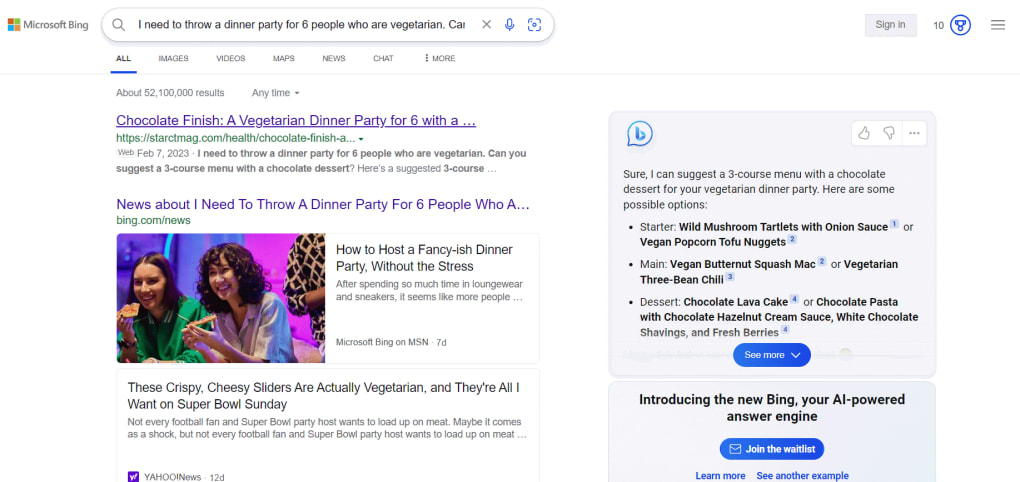
Bing Online is Microsoft’s latest evolution of its historic search platforms—MSN Search, Windows Live Search, and Live Search—now reinvented with cutting‑edge artificial intelligence. As the world’s second‑largest search engine, Bing delivers a free, secure, and visually rich experience that goes beyond traditional keyword matching. Powered by the same large‑language‑model technology that fuels ChatGPT, Bing Online blends classic web, video, image, and map search with AI‑driven suggestions, refined image filters, and a conversational chatbot that can interpret natural‑language queries. Whether you’re researching a health topic, planning a trip, or hunting for the perfect wallpaper, Bing’s AI‑enhanced results aim to be more relevant, contextual, and interactive. The platform also provides specialized search boxes for sports, news, travel, and more, ensuring that niche interests receive tailored results without extra effort. While the AI chatbot is still in its early stages and may occasionally return inaccurate information, Microsoft’s ongoing updates promise rapid improvements. For users who value privacy, speed, and a more visual web‑exploration experience, Bing Online offers a compelling alternative to text‑heavy competitors, all available as a free download for Windows, macOS, Android, and iOS devices.
Key Features That Set Bing Online Apart
- AI‑Enhanced Search Results: Leverages large‑language‑model AI to understand intent, deliver contextual answers, and generate concise summaries.
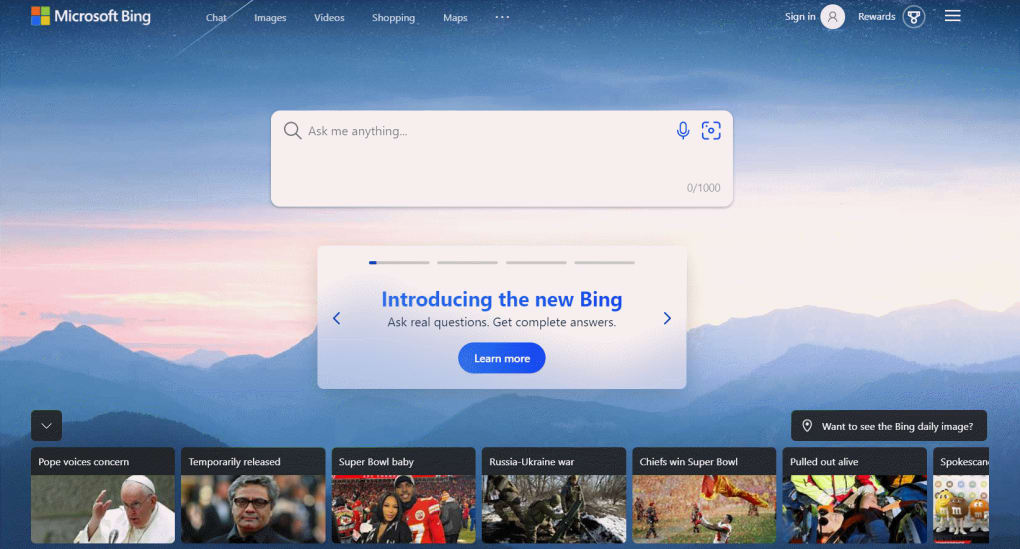
- Visual‑First Interface: Image‑heavy layout with large thumbnails, interactive cards, and video previews that make browsing more engaging.
- Advanced Image Filters: Refine image searches by size, color, layout, people, and image type, enabling precise visual discovery.
- Smart Search Suggestions: Real‑time query recommendations that anticipate user needs and surface related topics.
- Specialized Search Boxes: Dedicated tabs for health, sports, news, travel, and more, each delivering curated, domain‑specific results.
- Integrated AI Chatbot: Conversational assistant that can answer follow‑up questions, suggest related content, and highlight trending topics.
- Secure & Private: Microsoft’s robust security framework protects user data, with options to manage personalization and search history.
- Cross‑Platform Availability: Native apps for Windows 10/11, macOS, Android 6+, and iOS 13+, ensuring a consistent experience across devices.
- Regular Updates: Frequent feature rollouts and AI model improvements delivered automatically through the app store.
- Free to Use: No subscription fees; all core features are available at no cost, supported by optional non‑intrusive ads.
Installation & Usage Guide – Getting Started Quickly
Step‑by‑Step Installation
1. Choose Your Platform: Visit the official Bing Online download page or head directly to the Microsoft Store (Windows), Apple App Store (macOS/iOS), or Google Play Store (Android).
2. Download the Installer: Click the “Download” button. For Windows and macOS, an executable (.exe) or package (.pkg) file will be saved to your default downloads folder.
3. Run the Installer: Double‑click the file and follow the on‑screen prompts. The wizard will request permission to create shortcuts and set Bing as your default search engine if desired.
4. Accept Permissions: The app may request access to your location (for map searches) and camera (for visual search). Grant these permissions to unlock full functionality.
5. Complete Setup: After installation, launch Bing Online. The first‑run wizard will walk you through personalization options, including language, safe‑search settings, and whether to enable the AI chatbot.
Basic Usage Tips
Once installed, using Bing Online is intuitive. Type a query into the central search bar; as you type, Bing will display real‑time suggestions powered by AI. For image searches, click the “Images” tab and apply the advanced filters located beneath the search bar. To engage the chatbot, click the “Chat” icon at the bottom right of the screen and type natural‑language questions like “What are the top tech trends for 2025?” The chatbot will reply with a concise summary and provide links to deeper resources. You can also pin favorite results, create collections of images, and share links directly to social media via the built‑in sharing toolbar. For power users, the “Settings” menu offers options to clear search history, adjust ad personalization, and toggle experimental AI features on or off.
Keeping Bing Online Up‑to‑Date
Bing Online updates automatically through the respective app store. However, you can manually check for updates by opening the store app, navigating to “My apps & games,” and selecting “Update” next to Bing Online. Regular updates introduce new AI capabilities, bug fixes, and security patches, ensuring a smooth and safe browsing experience.
Compatibility, Pros & Cons – What Works Best and Where It Falls Short
Supported Operating Systems
Bing Online is officially supported on the following platforms:
- Windows 10, Windows 11 (64‑bit)
- macOS 10.15 (Catalina) and later
- Android 6.0 (Marshmallow) and later
- iOS 13 and later (iPhone & iPad)
Pros
- AI‑Driven Relevance: The chatbot and smart suggestions often surface information that traditional engines miss.
- Visual Richness: Large image and video previews make content discovery faster and more enjoyable.
- Specialized Search Boxes: Tailored results for health, sports, news, and travel reduce the need for additional filtering.
- Cross‑Device Sync: Search history and personalized settings sync across Windows, macOS, Android, and iOS when you sign in with a Microsoft account.
- Free Access: All core features are available without a subscription, making it accessible to a broad audience.
- Strong Privacy Controls: Users can opt out of personalized ads and clear their search data at any time.
Cons
- AI Accuracy Still Maturing: In some cases, the chatbot provides outdated or partially incorrect answers, which can be problematic for academic research.
- Ad Presence: While non‑intrusive, occasional ads appear in search results, which some users may find distracting.
- Learning Curve for New UI: Users accustomed to text‑first search results may need time to adapt to the visual‑first layout.
- Limited Offline Functionality: All AI features require an internet connection; no local cache is available for offline queries.
- Regional Availability of Certain Features: Advanced image filters and specialized search boxes may not be fully supported in all countries.
Overall Rating: 4 out of 5 stars – A solid free search engine with impressive AI features, but still polishing its chatbot accuracy.
Frequently Asked Questions (FAQ)
Is Bing Online completely free to use?
Yes, Bing Online is offered at no cost. The core search engine, AI chatbot, and visual features are free, though you may encounter non‑intrusive ads that help support the service.
Can I set Bing Online as my default search engine in other browsers?
Absolutely. After installing the app, you can copy the Bing search URL and paste it into the default search engine settings of Chrome, Firefox, Safari, or Edge.
How does the AI chatbot handle privacy?
Conversations with the chatbot are encrypted in transit and stored only for the purpose of improving AI models. Microsoft provides a privacy dashboard where you can review or delete your chat history at any time.
Are there any system requirements for the desktop version?
For Windows, you need Windows 10 (64‑bit) or newer. On macOS, the minimum version is macOS 10.15 (Catalina). Both platforms require at least 2 GB of RAM and 300 MB of free disk space for installation.
How often does Bing Online receive updates?
Microsoft releases updates roughly every 2‑4 weeks, with larger AI model improvements rolled out quarterly. Automatic updates are delivered through the Microsoft Store, Google Play, or Apple App Store.
Can I use Bing Online without a Microsoft account?
Yes, you can browse and search without signing in. However, signing in enables features like cross‑device sync, personalized suggestions, and saved collections.
Conclusion – Should You Download Bing Online?
Bing Online represents a significant step forward for Microsoft’s search ecosystem, marrying a visual‑first interface with AI‑driven relevance. For users who crave richer image results, smart suggestions, and a conversational chatbot that can handle natural language, Bing offers a compelling free alternative to the text‑centric giants. While the AI chatbot still shows occasional inaccuracies—a reminder that it’s a work in progress—the platform’s regular updates and strong privacy framework make it a safe and evolving choice. Compatibility across Windows, macOS, Android, and iOS ensures you can enjoy a consistent experience on any device. If you’re looking for a modern, secure, and free search tool that constantly learns from your interactions, download Bing Online today and explore the next generation of web search.
Guides & Tutorials for Bing Online
How to install Bing Online
- Click the Preview / Download button above.
- Once redirected, accept the terms and click Install.
- Wait for the Bing Online download to finish on your device.
How to use Bing Online
This software is primarily used for its core features described above. Open the app after installation to explore its capabilities.
User Reviews for Bing Online 0
No reviews found




